Vocals, drums, bass and the rest
The default model splits a mix into vocals, drums, bass and everything else. It is the right choice for most songs and runs on every plan, including Free.
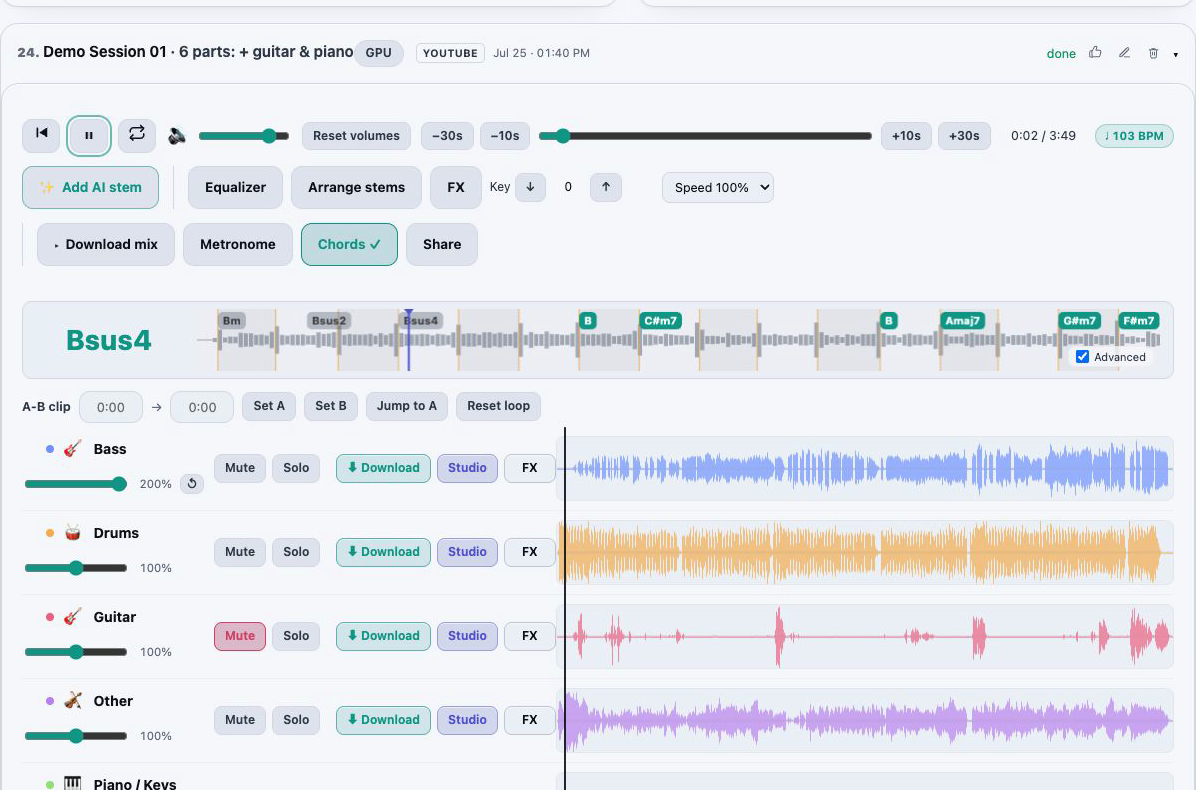
Upload a song and AI separates it into vocals, drums, bass and the other instruments. The stems open together in a synchronized player in your browser, so you can hear each part on its own, mix them and take them with you.
Start free, no card required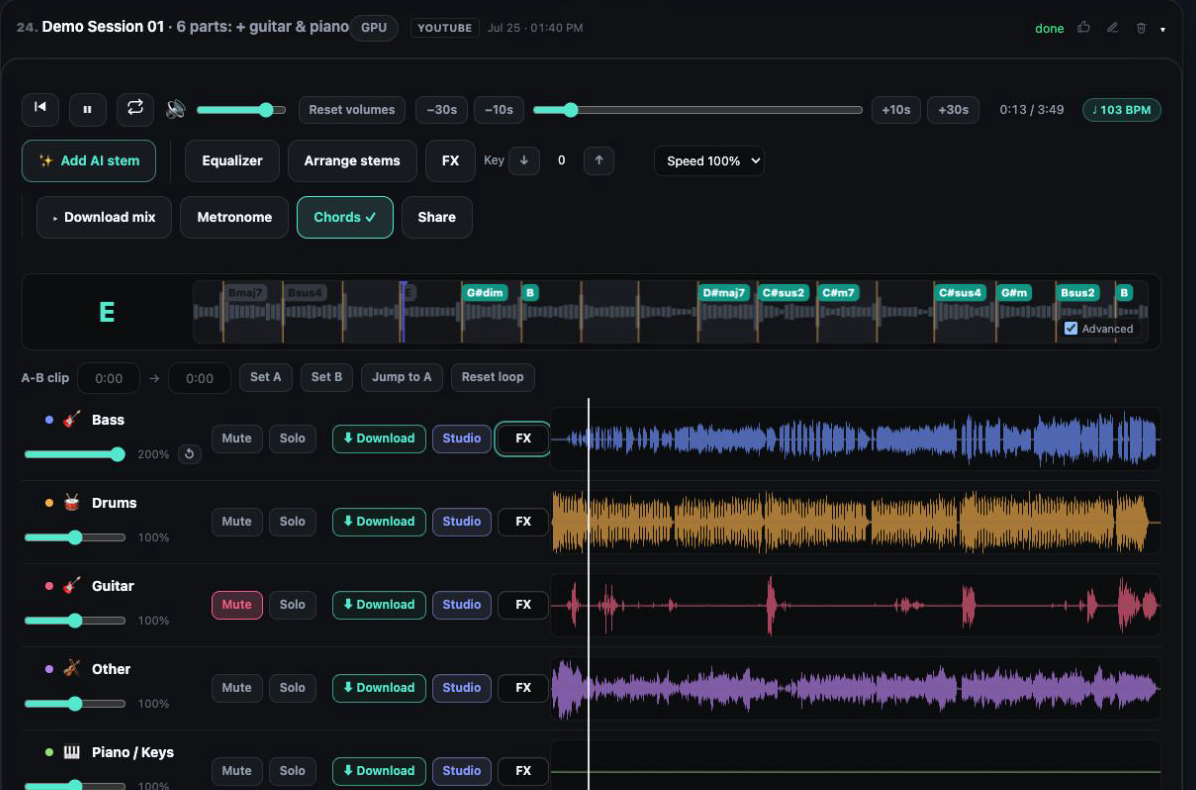
The default model splits a mix into vocals, drums, bass and everything else. It is the right choice for most songs and runs on every plan, including Free.
A six stem model separates guitar and piano from the other instruments, so a guitarist or pianist can solo or mute exactly their part.
When you only care about one instrument, a focused model pulls it out and leaves a clean backing track of everything else.
A dedicated vocal model gives a cleaner lead vocal and instrumental pair than the general models when the voice is what matters.
Split a drum stem further into the kit itself, for drummers learning a groove or producers rebuilding one.
Our separation models are tested nightly inside the same containers that process your tracks, and the results are public on the benchmark page.
Upload an audio or video file, reuse something already in your library, or paste a YouTube link. Every plan includes a YouTube allowance.
Keep the default for a four stem split, or pick the six stem, single instrument, vocal or drum kit model for the job in front of you.
Processing runs in the background and the track opens in the player when it is ready. You can close the tab; the Working on list keeps it visible.
Mute, solo and balance the parts, then download individual stems or the exact mix you hear on a paid plan.
A stem is one layer of a finished song: the lead vocal, the drum kit, the bass line, the guitars. Studios keep these layers separate while they work, but the song you hear on a streaming service is one mixed file. An AI stem splitter estimates those layers back out of the mix, so you can work with a part that was never released on its own.
AudioStem.ai does not stop at the files. Every stem lands in one synchronized timeline, so the parts never drift apart, and the rest of the studio is right there: an A/B loop for practice, a 10 band EQ, effects, BPM and key detection, chords, MIDI and mastering. Most people who separate a song want to do something with it next, and doing it in the same window is faster than downloading six files and rebuilding the song somewhere else.
There is no single best model for every song. A dense rock mix, a sparse acoustic recording and a drum heavy dance track each favour a different approach, which is why the model is a choice you make per track instead of a setting we hide.
Separation is an estimate, and honest results depend on the recording. Parts that share the same frequencies, such as a distorted guitar under a vocal, or heavy reverb that smears every instrument together, can leave traces of one stem inside another. That is normal for every splitter, not only ours.
Three things help. Start from the best source file you have, since a compressed upload has less detail to separate. Try a second model when one leaves a trace behind; the alternatives fail in different places. And on Studio, run the denoise or reverb removal tools on the stem that needs it, without leaving the session.
Musicians use it to learn a part by soloing it, or to practice by muting it and playing along. Singers remove the lead vocal to build a backing track. Producers and remixers pull a clean drum loop or an acapella to start from. Teachers isolate one instrument to show a student what it is doing. Content creators separate dialogue or music elements before they clean and level them.
Free splits 20 full-length songs a day with the two core models and plays them in the browser; tracks are cleared after 24 hours, and downloads are on paid plans.
Starter, at $4.99 per month, includes 200 audio minutes a month, the two core models and MP3 stem downloads, with stems kept for as long as you subscribe.
Studio, at $9.99 per month, unlocks all ten separation models with faster GPU processing, 500 audio minutes a month, lossless WAV and custom mixes, and keeps stems for as long as you subscribe.
Yes. The Free plan separates 20 full-length songs a day with the two core models, with no card required. You can play, mix and loop the stems in the browser; downloading them is part of the paid plans.
Four with the default models: vocals, drums, bass and other. Six with the six stem model, which adds guitar and piano. The drum split model can then break the drums into kick, snare and cymbals.
Common audio files and the sound from a video file. You can also reuse an earlier upload from your library or paste a YouTube link within your plan’s allowance.
On paid plans. Starter downloads MP3 stems; Studio adds lossless WAV stems and a custom mix that includes your volume, mute, edit, EQ, key and effect choices.
No. Your uploads and the stems made from them are never used to train AI models.
When a billable job fails and the refund is confirmed, the charged minutes are returned and the activity row says so.
Remove vocals from a song for karaoke, or keep only the vocals for an acapella. Shift the key, loop a section and export your backing track.
Mix stems in your browser on one synchronized timeline: volume, mute and solo, silence or fade a section of one stem, arrange the parts and export the exact mix you hear.
Practice with any song: slow it down without changing pitch, change the key, loop a hard section, follow live chords and BPM, and solo the part you play.
Review nightly AudioStem.ai model measurements for separation quality, reconstruction, isolation, processing time and estimated compute cost.