Start from one sentence
Say what the song should feel like, set a length of up to 5 minutes and decide between an instrumental and a voice: male, female or a duet. Nothing else is required.
Tell AudioStem.ai what kind of song you want and it composes one, sung or instrumental. Each request returns two versions. Pick the better one and it opens as a regular track that you can split into vocals, drums, bass and the other parts.
That split is what changes the workflow. A generated song is usually a single mixed file you can only play or download. Here it lands in the same browser studio used for separated recordings, so you can practice over it, rebalance the parts, add effects, master it and export the stems.
Start free, no card required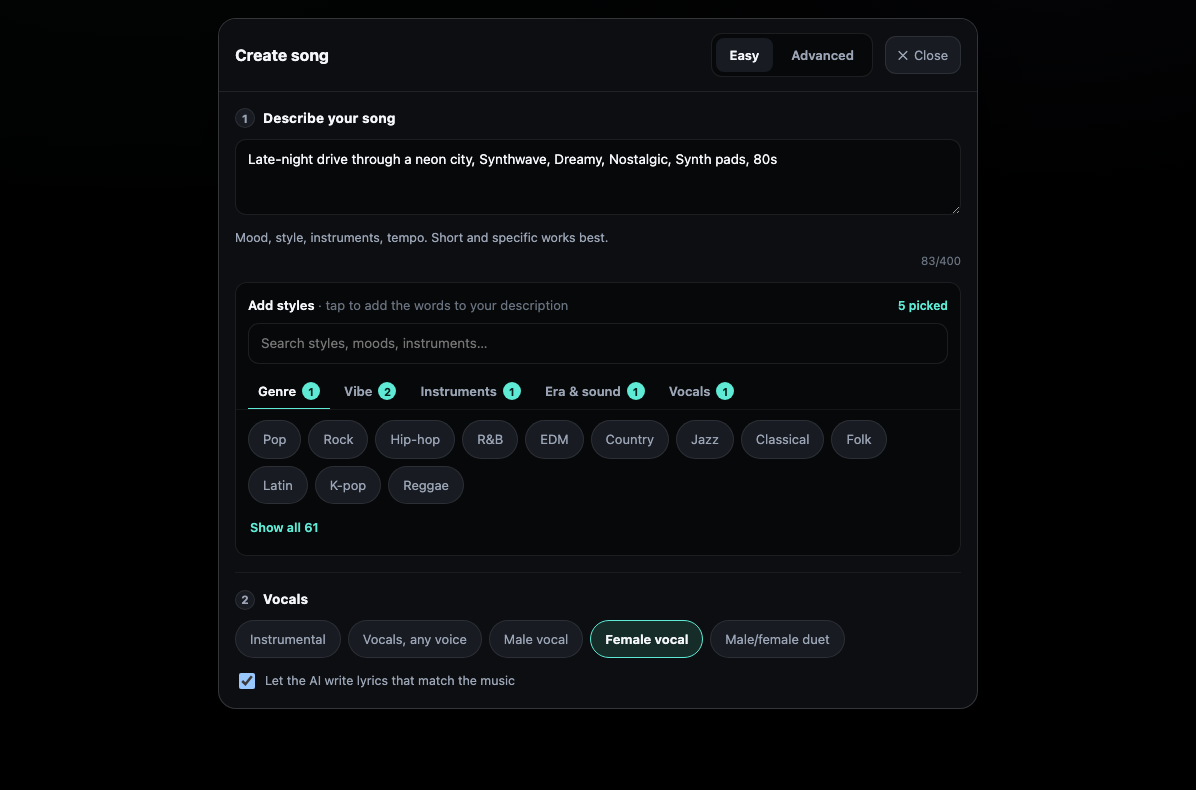
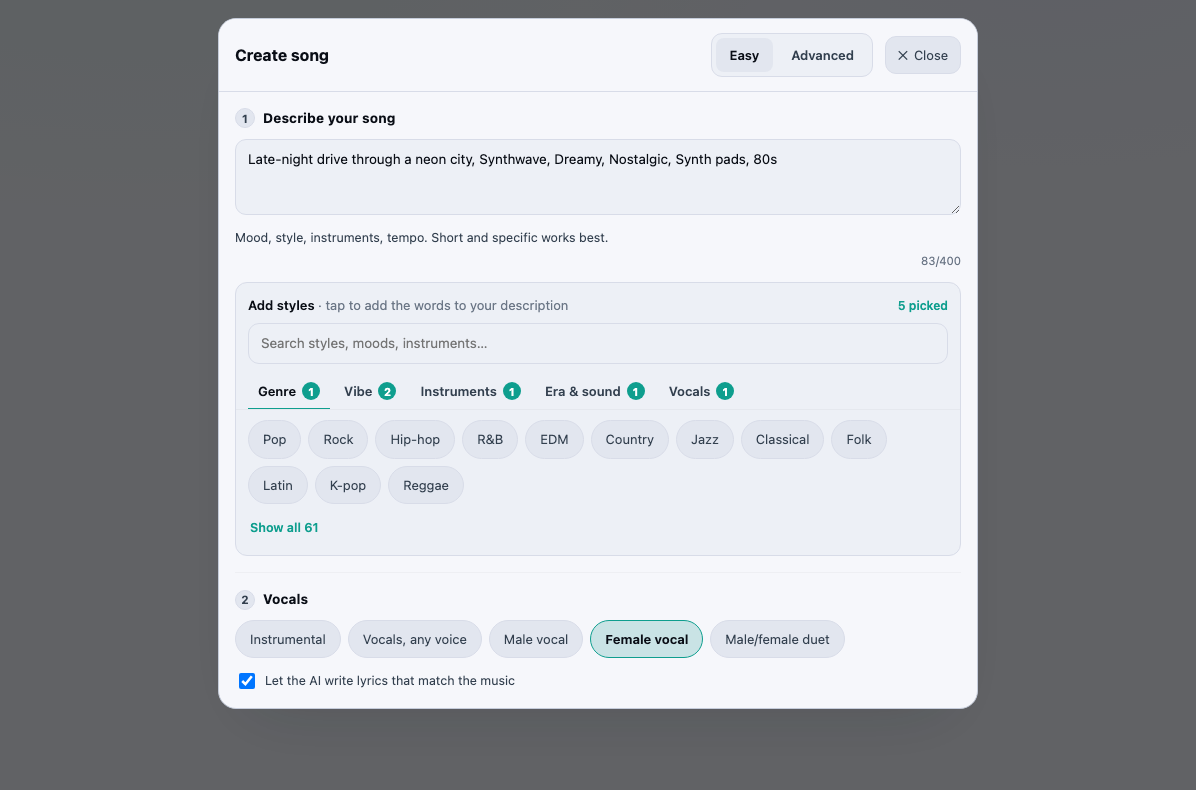
Say what the song should feel like, set a length of up to 5 minutes and decide between an instrumental and a voice: male, female or a duet. Nothing else is required.
Write the style line yourself, paste lyrics with [Verse] and [Chorus] tags, and set the language, tempo, key and time signature. A seed is there too for people who like to experiment.
You set three things: who sings, the language of the lyrics, and whether the result gets split. Random chooses a style, a tempo and a length between 2 and 4 minutes, and writes the words.
Every request produces two versions and costs one charge. Play both, keep the one that works and throw the other away.
Choose a separation model and the version you keep is divided into vocals, drums, bass, guitar, piano and the rest. If you only want the full mix, load it as one track instead.
Blank box? Write it for me (AI) drafts the style line and Write lyrics (AI) drafts tagged lyrics from a few words. Both land in the box for you to edit and use no HD and AI minutes.
On Studio, start a new song from your dashboard and choose the Easy, Advanced or Random tab.
Type a description, fill in the advanced fields, or let Random decide. Writing help can draft the style line or the lyrics if you get stuck.
When both versions are ready, play each one through. Keep your favourite, then pick a separation model or load it as a single track.
Loop a section, follow the chords, shift the key, put effects on each stem, master the result and download the stems or the mix you hear.
Easy is for the moment you have a mood or a genre in mind and nothing written down. A line like a slow soul ballad with warm keys, or a fast punk track about missing the last train, is enough; you add the length and the kind of voice.
Advanced is for when you already know what you want. Bring your own lyrics, mark the sections with structure tags, and fix the tempo, key, time signature and language, which matters when the song has to fit a set list, a singer’s range or a video edit.
Random is for writer’s block. Apart from the singer, the language and the split, it makes every choice for you. It is a fast way to hear ideas you would not have typed yourself.
Once a version is kept and separated, it behaves exactly like a song you uploaded. The parts play in sync, so you can mute the AI vocal and sing the melody yourself, solo the bass line to learn it, or pull the drums down to hear the harmony.
The kept song can also be developed further. Because it is a separated track, Studio can sing new AI lyrics over its instruments as another stem, and you can master the finished mix or a single part without leaving the browser.
Each song costs its length in HD and AI minutes, and that one charge covers both versions. Lengths are approximate, usually within about ten percent of what you asked for. If generation fails, the minutes are returned to your balance automatically.
Writing help is separate from that balance. Drafting a style line or lyrics spends no HD and AI minutes; the limit is a daily allowance on each account.
Bring your own lyrics or, when that option is on, let the AI write them. Lyrics you paste in must be your own or licensed to you, and you confirm that when you send the request. Descriptions, styles and lyrics are checked, and a request to imitate a named artist is refused; the style lines writing help produces never contain an artist’s name. Your audio and the outputs made from it are not used to train AI models.
Song creation needs Studio ($9.99 a month). Every month it gives you 60 HD and AI minutes, one pool for songs, AI lyrics, HD super resolution and mastering, and it keeps your stems for as long as you subscribe.
Run out before the month ends and packs of 60 minutes for $9, 140 for $19 or 220 for $29 refill that pool; bought minutes never expire. On Free and Starter, Create song is visible with an invitation to upgrade.
Yes. Keep the version you like, pick a separation model, and it is split into vocals, drums, bass and the other parts in the synchronized player. On Studio you can download those stems as lossless WAV files or export a custom mix of them.
Up to 5 minutes in Easy and Advanced. Random picks a length between 2 and 4 minutes for you. The finished length is approximate, normally within about ten percent of the request.
Yes, in Advanced. Paste them with tags such as [Verse] and [Chorus] and choose the language. They have to be your own words or ones you have a license for. If all you have is an idea, Write lyrics (AI) turns it into a tagged first draft that you can rework before generating.
Discard them and send a new request with a different description, style or setting. Each request is charged by length, so a fresh attempt uses minutes again; only a failed generation is refunded.
No. A screen on the song text refuses requests to imitate a named artist. Describe the sound instead: the genre, mood, tempo, instruments and the kind of voice you want.
You keep the rights you hold in it; AudioStem.ai claims no ownership of AI songs or the stems made from them. Words written by the AI count as generated output.
Yes, on Studio. A kept AI song works with Backing chorus on the AI lyrics panel, and when the song has lyrics the choir can sing its own hook on up to four sections you choose. It arrives as one more stem and leaves the lead vocal in place.
Sing new lyrics over a track you separated: an AI voice over your own instruments, more takes of the same words and a backing chorus on the sections you pick.
Split any song into vocals, drums, bass, guitar, piano and more with AI models, then play, mix and export the stems in your browser. Free plan included.
Mix stems in your browser on one synchronized timeline: volume, mute and solo, silence or fade a section of one stem, arrange the parts and export the exact mix you hear.
Master a mix or a single stem online: four HD mastering styles, AI denoise and reverb removal, LUFS loudness targets and 48 kHz audio super resolution.