Drums, bass, guitar, keys, strings
Pick the part the arrangement lacks. A demo with no rhythm section can get drums and bass; a bare verse can get a keys or string line underneath it.
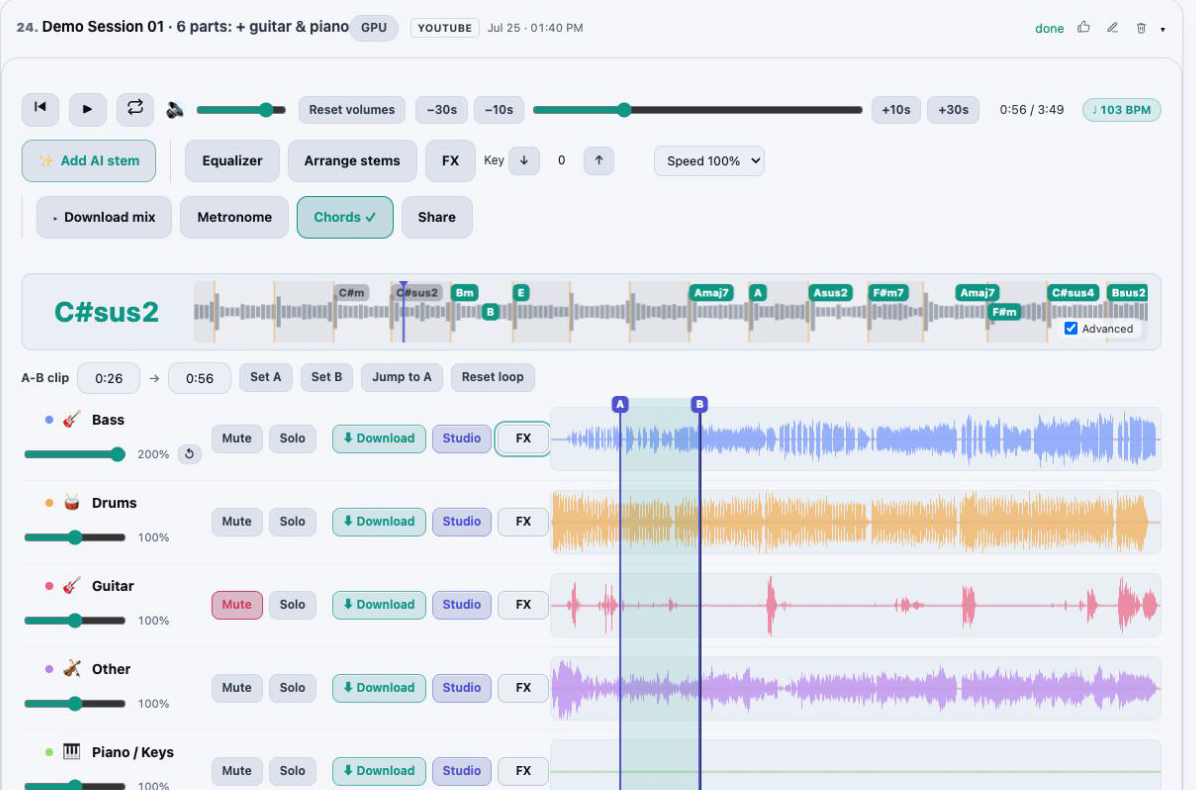
Once a song is split into stems, AudioStem.ai has already measured its tempo, key, meter and chord changes. On Studio you can ask for an instrument the recording never had, aimed at a section you choose, and hear it play along with your stems before you decide whether it stays.
The take you keep lands in the same session as a full-length stem. From then on it is balanced, shaped with EQ and effects, mastered and exported the same way as the parts that came out of the original recording.
Start free, no card required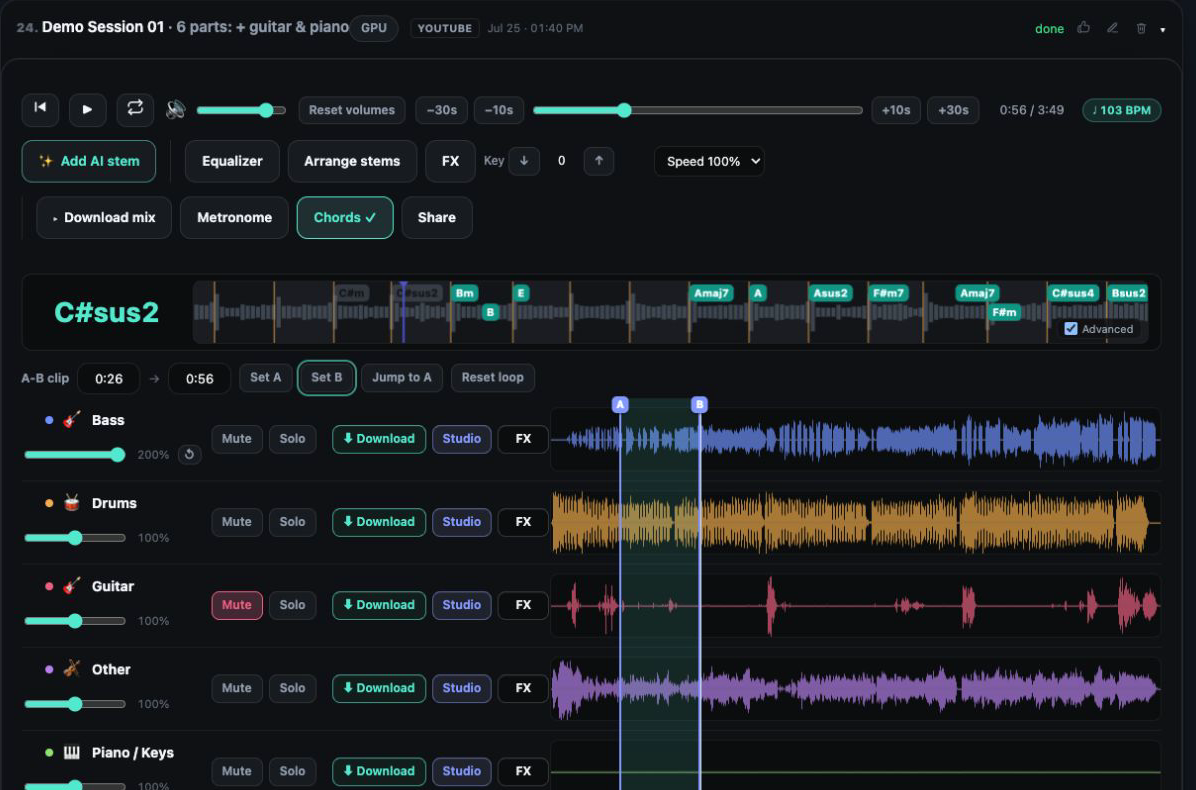
Pick the part the arrangement lacks. A demo with no rhythm section can get drums and bass; a bare verse can get a keys or string line underneath it.
The model receives the tempo, key, meter and chord timeline measured from your track. The aim is a part that fits your beat and your harmony, not one that copies the tone of your recording or the style of an artist.
Aim the request at the A/B loop you have been practicing with, type in a start and an end, or cover the complete track.
Every request returns more than one version and you are charged once for all of them. Listen through and keep the take that serves the song.
Versions play with your other stems at the levels you already set, inside your loop, so you judge the part in context instead of soloed in a separate preview.
Each version is checked against your song’s beat grid before it reaches you, and the stem keeps the result. It describes how tightly the notes sit on the beat. It is a measurement, not a verdict on the part.
Start from a track you have already split into stems and open it in the mixer, then go to the AI Instrument tab.
Use your current A/B loop, the whole track, or a start and end time you type.
Choose drums, bass, guitar, keys or strings and a sound for it, set how busy the part should play, and add one line of direction if you have something particular in mind.
The request runs in the background and survives leaving the page. Carry on mixing; the Jobs tab holds it until the versions are ready.
Play each version against your stems, glance at the timing numbers, and keep the take that fits. It joins the track as a full-length stem.
Most AI music tools begin with a text prompt and hand back a clip in whatever tempo and key the model picked. Here the starting point is your recording. The tempo, the key, the time signature and the chord timeline measured from your track go to the model with the request, so the new part is generated against your beat and your chord changes instead of a guess.
What it does not attempt is to recreate how your recording sounds. A generated guitar is not a copy of your guitarist’s tone, and generation does not imitate a particular artist. Think of it as a session player who has read your chart: in time and in key, with a sound of its own that you then shape with EQ and effects.
Before a version is offered to you it is compared with the beat grid detected in your song, and that result travels with the stem. A tight figure means the notes land close to the grid. It says nothing about whether the groove feels right, whether a fill is tasteful or whether the part belongs in the song; those calls are for your ears.
A looser figure is not automatically a problem either, since laid back playing sits slightly behind the beat on purpose. Use the number to spot a take that drifts, and use the audition to choose.
The kept part is an ordinary full-length stem. It has its own volume, Mute and Solo, takes the 10 band EQ and an effects rack, and goes through mastering and export with the rest of the session. The stem editing tools apply too: mute a range you do not want, add a fade in or fade out, and restore it later if you change your mind.
The instrument parts generated for you are yours, and AudioStem.ai claims no ownership of them. Machine generated audio can contain artifacts and may not match what you asked for, which is exactly why every version is auditioned before anything is added.
Generation is a Studio feature charged by length from the HD and AI minutes, the same shared balance that pays for AI songs, AI lyrics, audio super resolution and HD mastering. The versions in one request share a single charge, and the whole monthly balance can go to generation.
When a request produces nothing usable, the minutes come back automatically, and cancelling a request that is still waiting for a GPU returns them as well. Once a refund is confirmed, the activity row says the charged minutes were returned.
It is built to fill a gap in something that already exists, not to produce a finished track from nothing. Typical starting points:
AI instrument generation is part of Studio, at $9.99 per month, and runs on tracks you have separated. Studio includes 60 HD and AI minutes each month, and the full balance can be spent on generation.
When those run out, Studio can buy minute packs: 60 minutes for $9, 140 for $19 or 220 for $29. Packs are one time purchases, never expire, have no AI limit and are used after the monthly minutes. Free and Starter separate, play and mix tracks but include no HD and AI minutes.
Drums, bass, guitar, keys and strings. Pick one per request together with a sound, and add an optional line of direction.
No. It follows the tempo, key, meter and chords measured from your track, so it fits the song, but it does not reproduce how your recording sounds and it does not imitate a particular artist.
Yes. Generation happens inside a track you have split into stems, so the new part can be auditioned with the existing ones and saved alongside them.
More than one, for a single charge. Keep the version you like and it becomes a stem on the track.
It shows how closely the part sits on your song’s beat grid. It is a measurement, not a verdict on the part, so let your ears make the final decision.
If a request delivers nothing usable, its minutes are returned automatically. Cancelling a request that is still waiting for a GPU also returns its minutes.
Sing new lyrics over a track you separated: an AI voice over your own instruments, more takes of the same words and a backing chorus on the sections you pick.
Create a whole song from a description with AudioStem.ai, then split it into vocals, drums, bass and more, and mix, master and export every stem.
Mix stems in your browser on one synchronized timeline: volume, mute and solo, silence or fade a section of one stem, arrange the parts and export the exact mix you hear.
A 10 band EQ and live effects racks for every stem and the master: vocal reverbs and delays, guitar amp and wah, bass octaver, drum punch, width and limiting.