Hear your part, or take its place
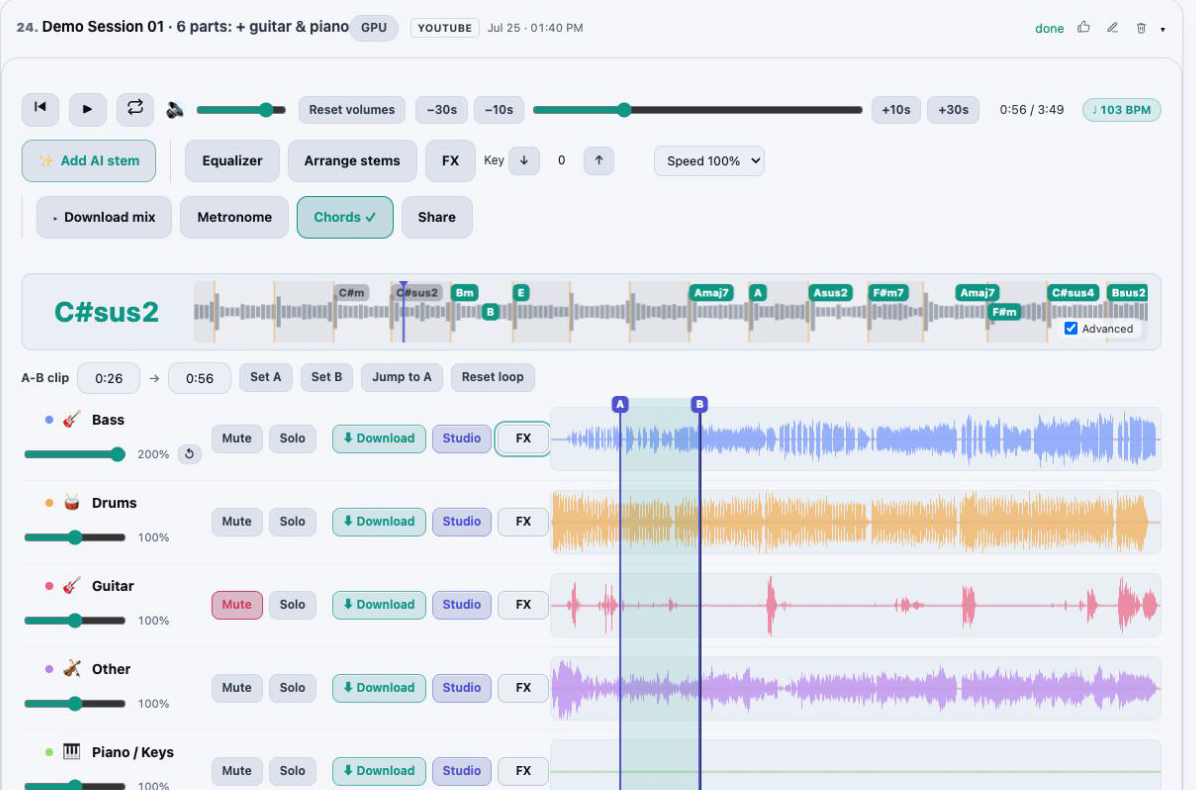
Solo the bass to catch every note the bassist plays, or mute it and cover that role yourself while the rest of the band keeps going.
Learn a song from the recording itself. AudioStem.ai separates the track into stems so you can solo the part you are learning, or mute it and play along, then repeat the hard bar on an A/B loop for as long as it takes.
Studio turns the same player into a full practice desk: slow the song to half speed without the pitch dropping, move it into another key, read the chords as they go by and keep time with Auto Metronome.
Start free, no card required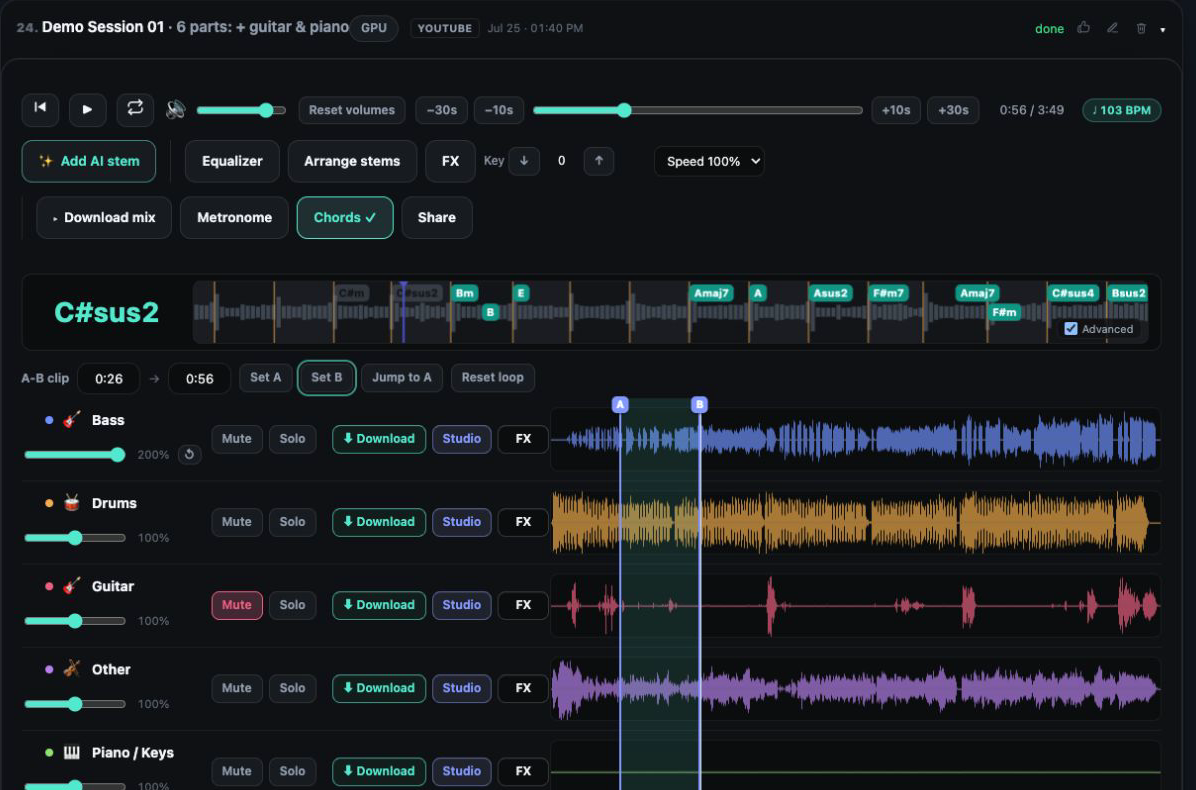
Solo the bass to catch every note the bassist plays, or mute it and cover that role yourself while the rest of the band keeps going.
Drag the A and B markers on the waveform or type the start and end, with decimals as fine as hundredths of a second. Every plan has the loop.
On Studio, playback speed runs from 50% to 120% and the notes stay where they were, so a fast run slows down without sliding into a different key.
Studio’s key control transposes the whole track across 12 semitones, for a singer’s range or the key your band plays a cover in.
Studio shows the chord under the playhead and the ones coming next, can add changes that land between beats, and renames them when you transpose.
Studio detects the tempo and the musical key of the track, and Auto Metronome can tick at half, normal or double speed.
Upload a file or paste a YouTube link and the default model splits it into vocals, drums, bass and other. On Studio, the six stem model adds guitar and piano.
Solo it to study the part closely, then mute it to play it yourself. A fader keeps a quiet guide in the mix if you still need one.
Click the waveform to move the playhead, drag along it to mark A and B, or type exact times. The 10 and 30 second jumps move you around the song.
On Studio, drop the speed while you learn, bring it back toward 100% as the part settles, and choose the key you will perform in.
Slowing a recording the old way drags the pitch down with the tempo, which makes it useless for learning. On Studio the Speed control goes as low as 50% and as high as 120%, and every note stays at its original pitch at each setting.
A routine that works for most players: loop a phrase at 60 or 70 percent until it is clean, then raise the speed in small steps until you are playing with the record at full tempo, or slightly above it to leave yourself some headroom. Speed changes only what you hear; downloads keep the song’s real tempo.
Key control on Studio shifts the track across 12 semitones. Singers use it to bring a song into their range before a performance; instrumentalists use it to rehearse in the key a band has chosen, or to run one passage in several keys.
What depends on the key moves with it. The chord lane renames every chord for the new key, so the symbols on screen are the ones you actually play. A Studio custom mix keeps the key you set, and HD Master follows it too, so the transposed version is ready to take to rehearsal.
On Studio the player shows the detected BPM and musical key of the track. While it plays, the current chord is shown large and the next changes line up along the timeline, so you can see a change coming before you hear it. Tick Advanced to show the changes that fall between beats, which helps with quick passing chords.
For closer study, Studio can turn one stem or the whole mix into MIDI and hand you the notes of a bass line or piano part to open in other music software. Auto Metronome adds a click: set its tick to half speed to count a slow ballad, or to double to subdivide a fast groove.
The mixer runs in a desktop browser and on touch screens, so the same session can move from the computer to a tablet on your music stand.
Every plan includes the synchronized player, Solo and Mute on each stem, the A/B loop with typed markers and the 10 and 30 second jumps. Free covers 20 full-length songs a day in the browser, and Starter, $4.99 a month, gives 200 audio minutes a month with MP3 downloads.
Studio, $9.99 a month, adds speed from 50% to 120%, key control, automatic BPM and key, live chords, Auto Metronome, MIDI and the six stem model, with 500 audio minutes a month.
Yes, on Studio. The Speed control runs from 50% to 120% and keeps the pitch where it was. It changes playback only, so anything you download stays at the original tempo.
Set A and B by dragging across the waveform or by typing the times, which can be typed to the hundredth of a second. The player then repeats that section until you change it. The loop is on every plan, Free included.
Yes, on Studio. A live chord lane shows the current chord and the ones ahead, can include the changes between beats, and renames the chords when you change the key.
Studio detects the tempo and the musical key of each track and shows them in the player. Auto Metronome can then tick at half, normal or double speed.
Yes. Separate the song and mute your instrument’s stem. The default model, on every plan, splits out vocals, drums and bass. Guitar and piano get their own stems on Studio, with the six stem model or the Guitar only and Piano/Keys only models, which leave everything else as one backing track.
Yes. The mixer runs in the browser on desktop and on touch screens, with nothing to install.
Remove vocals from a song for karaoke, or keep only the vocals for an acapella. Shift the key, loop a section and export your backing track.
Split any song into vocals, drums, bass, guitar, piano and more with AI models, then play, mix and export the stems in your browser. Free plan included.
Mix stems in your browser on one synchronized timeline: volume, mute and solo, silence or fade a section of one stem, arrange the parts and export the exact mix you hear.
A 10 band EQ and live effects racks for every stem and the master: vocal reverbs and delays, guitar amp and wah, bass octaver, drum punch, width and limiting.