A 10 band equalizer on every stem
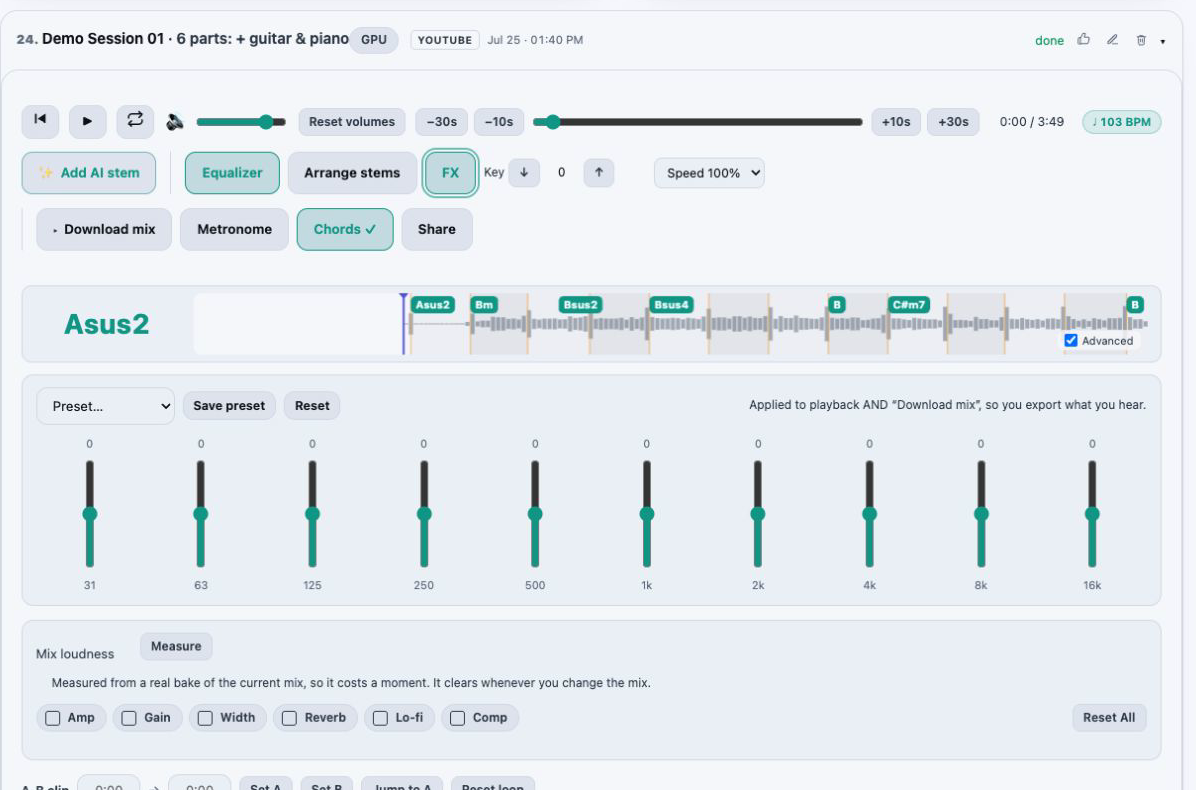
Start from one of 13 included presets or set the bands yourself, then save your own presets and have them synced to your account for the next song.
Shape each part of a song separately in your browser. Every stem gets a 10 band equalizer, and Studio adds a live effects rack on each stem and another on the master: reverbs and delays for a vocal, an amp and wah for a guitar, an octaver for the bass, punch for the drums, then width and limiting across the whole mix.
You hear every change while the song plays, and the effects stay in time with the track’s detected tempo. On Studio the sound you build goes into your WAV stems and custom mixes.
Start free, no card required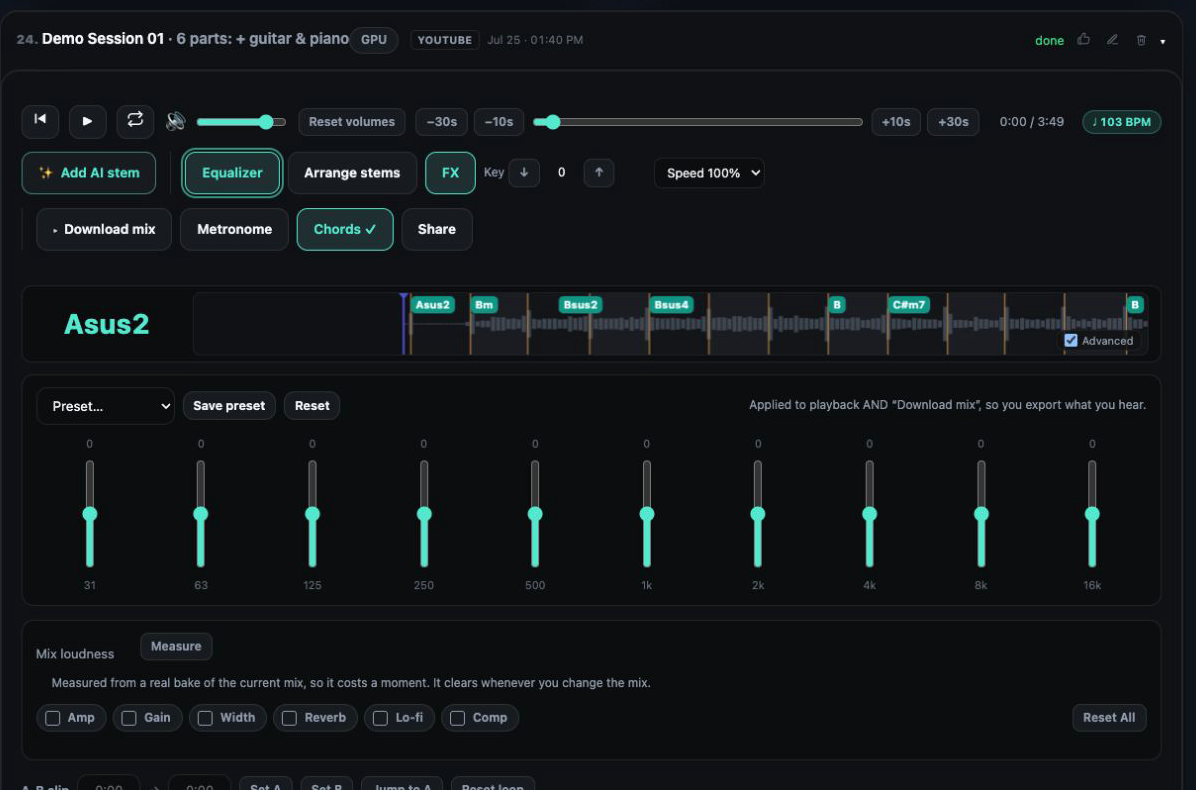
Start from one of 13 included presets or set the bands yourself, then save your own presets and have them synced to your account for the next song.
Hall, room and plate reverbs, slapback and ping pong delays, a doubler, a Harmonizer with Deep and Light voices, drive, filters and ring mod.
Guitar amp and drive, spring reverb, wah, and modulation including chorus, phaser, flanger and tremolo.
Compression, chorus and an octaver for bass. Compression for drum punch, gated reverb rooms and filter sweeps for drums.
A master rack with stereo width, glue compression, limiting, Lo Fi and reverb, sitting after every stem.
The delay follows the beat, and the effects keep time with the detected BPM, even after you change the practice speed.
Separate a song or open one from your library. Each stem appears as its own row in the mixer.
Open the equalizer on a stem, choose a preset or adjust the 10 bands by ear, and save the curve as your own preset if you will want it again.
On Studio, open the rack on a stem or on the master and switch effects on while the song plays. Free and Starter can open every rack and explore it first.
On Studio, download WAV stems or a custom mix with your EQ and effects included, or choose an HD master with that sound.
An effect on a finished stereo song hits everything at once: reverb meant for the voice also washes over the drums, and an amp meant for the guitar distorts the bass. Once a song is split into stems, each effect reaches only the part you aimed it at.
That is the point of putting a rack on every stem. You can push a big plate reverb on the vocal, keep the drums dry and tight, give the guitar some drive, and leave the bass clean, then finish the whole picture on the master rack.
The vocal rack covers the moves most vocal chains are built from. Pick a reverb for the size of the space: room for something close, plate for a bright sheen, hall for a long tail. Use slapback for a short rockabilly style echo, or ping pong to bounce repeats between the left and right speakers.
The doubler thickens a single take, and the Harmonizer adds harmony voices, with a Deep and a Light option. Drive, filters and ring mod are there for character when a clean vocal is not what the song needs. Because the original vocal stem is separate, you can do all of this to an acapella you pulled from a finished song.
The effects work from the BPM detected in the track, so delay repeats land on the beat instead of drifting against it. Slow the song down to practice a part and they stay in time with what you hear.
Practice speed itself is never written into a download, so a slowed-down session still exports at the original tempo, with your effects in place.
Studio hears every effect live and can include it in individual lossless WAV stems and in custom mixes, alongside your volume, mute, stem edits, fades, EQ and key. When EQ or effects are active, the HD Master option offers a separate master with your sound included, built from the same mix you are listening to.
HD mastering uses HD and AI minutes. Studio includes 60 each month, and minute packs top up the same balance: 60 minutes for $9, 140 for $19 or 220 for $29.
Free and Starter include the mixer with the 10 band EQ and its 13 presets on every stem, and both can open every effects rack to see what is there; Starter, at $4.99 per month, also downloads MP3 stems.
Studio, at $9.99 per month, applies the effects live on each stem and the master, includes them in lossless WAV stems and custom mixes, and comes with 60 HD and AI minutes a month for HD mastering.
Yes. The 10 band EQ with its 13 included presets is part of the Free mixer, on every stem. You can also save your own EQ presets and have them synced to your account.
Studio. It hears effects live and includes them in exports. Free and Starter can open each rack and look through the effects before upgrading.
Yes, on Studio. Separate the song, then open the rack on the vocal stem and add a hall, room or plate reverb, a slapback or ping pong delay, the doubler or the Harmonizer. The other stems are not affected.
Yes, on Studio. The guitar rack has an amp, drive, spring reverb, wah, chorus, phaser, flanger and tremolo. Use the six stem model to get guitar as its own stem first.
Yes. The effects follow the detected BPM and stay in time when you change the practice speed.
On Studio. Individual lossless WAV stems and custom mixes can include your EQ and effects, and when they are active you can choose a separate HD master with that sound.
Mix stems in your browser on one synchronized timeline: volume, mute and solo, silence or fade a section of one stem, arrange the parts and export the exact mix you hear.
Master a mix or a single stem online: four HD mastering styles, AI denoise and reverb removal, LUFS loudness targets and 48 kHz audio super resolution.
Remove vocals from a song for karaoke, or keep only the vocals for an acapella. Shift the key, loop a section and export your backing track.
Practice with any song: slow it down without changing pitch, change the key, loop a hard section, follow live chords and BPM, and solo the part you play.